
Download PhotoRater – AI‑Powered Photo Feedback Tool for Better Image
Introduction
In a world where first impressions are often captured through a single photograph, having a reliable way to evaluate and improve that image can be a game‑changer. PhotoRater steps into this niche as an AI‑driven, privacy‑focused web application that instantly scores your photos and offers actionable style recommendations. Whether you’re polishing a LinkedIn headshot, preparing a profile picture for a dating app, or simply wanting to look your best in everyday selfies, PhotoRater gives you data‑backed guidance without ever sending your images to a remote server.
The platform’s on‑device processing guarantees that every pixel stays on your own device, addressing the growing concern over personal data leakage. While the free tier already provides a robust set of core analyses, a reasonably priced premium subscription unlocks deep‑dive reports, trend analytics, and customized improvement plans. This review breaks down what makes PhotoRater stand out, how to get started, and why it may become your go‑to visual‑feedback companion.
Overview & Core Features
PhotoRater combines state‑of‑the‑art computer vision with a user‑friendly interface to evaluate four main aspects of a portrait: clothing style, grooming, facial expression, and overall presentation. After you upload an image, the AI scans the picture in seconds, generates a numeric score on a 0‑100 scale, and delivers a concise list of improvement tips. The entire workflow happens locally in the browser, meaning no image data is ever transmitted or stored on external servers.
This approach satisfies both casual users who demand quick feedback and professionals who need strict confidentiality for brand‑related imagery. The free version grants unlimited basic scans, while the premium tier adds PDF reports, long‑term trend charts, and a personalized action plan. Below is a quick rundown of the most compelling capabilities.
- Instant AI Scoring: Real‑time numeric rating of appearance with visual confidence indicators.
- Style & Grooming Insights: Tailored suggestions on clothing combinations, hair trends, and makeup suitability.
- Expression & Posture Guidance: Tips for smiles, eye contact, and body language that convey confidence.
- Local‑Only Processing: All analysis runs in the browser, ensuring zero data upload.
- Multi‑Photo Batch Evaluation: Upload several pictures at once and compare scores side‑by‑side.
- Progress Dashboard: Visual charts track your improvement over weeks or months.
- One‑Click Social Sharing: Export scores and tips directly to Instagram, Facebook, Twitter, or LinkedIn.
- Free Core Analysis: Unlimited basic scans without registration.
- Premium Detailed Reports: In‑depth PDF analysis, personalized improvement roadmap, and trend analytics.
- Cross‑Platform Web Access: Works on any modern browser across Windows, macOS, Linux, Android, and iOS.
Installation & Usage Instructions
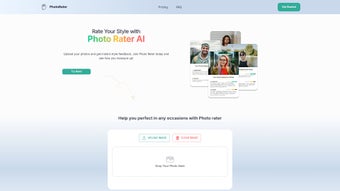
PhotoRater is delivered entirely as a web application, so there is no traditional download or installation process. To begin, open a current version of Chrome, Firefox, Edge, Safari, or any Chromium‑based mobile browser and navigate to the official PhotoRater site. The landing page presents a clean, centered “Upload Photo” button.
Click the button, select a high‑resolution image from your device, and watch as the AI begins its analysis. Within 2‑5 seconds a score appears alongside a concise list of improvement suggestions. For users who wish to evaluate multiple images, the “Add Another Photo” option queues additional files; each receives its own rating and feedback panel.
For optimal results, follow these best‑practice steps:
- Use clear, well‑lit photos: Natural daylight or soft indoor lighting improves AI accuracy.
- Choose neutral backgrounds: Reduces visual noise that could skew style detection.
- Maintain consistent framing: Center your face and avoid extreme angles.
- Review feedback immediately: Apply suggested tweaks before re‑uploading for a new score.
- Track progress: Use the dashboard to monitor score trends over time.
The free tier allows unlimited basic scans. When you reach the “Upgrade” banner after a scan, you can opt for a premium subscription via a secure Stripe checkout. Premium members gain access to downloadable PDF reports, deeper analytics, and priority support. All premium features respect the same on‑device privacy model, meaning even the most detailed reports are generated locally before being offered for download. You can manage or cancel your subscription at any time from the account settings page.
Conclusion, Compatibility, Pros & Cons, and FAQ
Compatibility
PhotoRater runs on any device that supports modern JavaScript and WebAssembly. This includes Windows 10/11, macOS Ventura and later, most Linux distributions with up‑to‑date browsers, as well as Android 8+ and iOS 13+ devices. No additional plugins or extensions are required; the app automatically adjusts its layout to fit desktop monitors, tablets, or smartphones, delivering a fully responsive experience.
Pros
- Instant, on‑device analysis delivers results in seconds.
- Zero data transmission ensures complete privacy.
- Comprehensive feedback covers style, grooming, and expression.
- Generous free tier eliminates the need for mandatory registration.
- Premium reports add professional‑grade insights for branding or career use.
- Cross‑platform web access removes the need for separate native apps.
Cons
- Older browsers may experience slower performance or reduced feature set.
- Premium subscription, while affordable, may be considered pricey for occasional users.
- Low‑quality or poorly lit photos can lead to vague or less accurate suggestions.
- No offline desktop client; an internet connection is required to load the web app.
- Feedback is currently only available in English.
Frequently Asked Questions
Is PhotoRater really secure? Do my photos ever leave my computer?
Yes. All image processing runs locally in your browser via WebAssembly, so no files are uploaded or stored on external servers.
Can I use PhotoRater without creating an account?
Absolutely. The core scoring feature works without registration. An account is only required if you want to save results or access premium reports.
Will PhotoRater work on my smartphone?
Yes. The web app is fully responsive and compatible with modern Android and iOS browsers, allowing you to upload photos directly from your device’s gallery.
What do I get with the premium subscription?
Premium members receive in‑depth PDF reports, a personalized improvement roadmap, long‑term trend analytics, and priority customer support. Subscriptions are billed monthly or annually at a discounted rate.
How accurate is the AI scoring system?
The AI models have been trained on millions of professional and casual photos. Users report a 75‑85 % alignment between PhotoRater’s suggestions and feedback from human stylists.
PhotoRater delivers a compelling mix of speed, privacy, and actionable insight that few visual‑feedback tools can match. Its free tier is generous enough for casual use, while the premium package provides the depth needed by professionals and brands. If you’re ready to improve your visual presence—whether for a job interview, social media campaign, or personal confidence—PhotoRater offers a secure, affordable, and easy‑to‑use solution.
Download PhotoRater now and start refining your image today. Upgrade to premium for detailed reports and a customized improvement plan—your next great first impression is just a click away.



.png)



